npmでパッケージ一覧を見る
$ npm list -g
インストールする
$ npm install -g (パッケージ名)
$ npm i -g (パッケージ名)
アンインストールする
$ npm uninstall -g (パッケージ名)
$ npm remove -g (パッケージ名)
$ npm r -g (パッケージ名)
とりあえずこれだけでしのげています
npmでパッケージ一覧を見る
$ npm list -g
インストールする
$ npm install -g (パッケージ名)
$ npm i -g (パッケージ名)
アンインストールする
$ npm uninstall -g (パッケージ名)
$ npm remove -g (パッケージ名)
$ npm r -g (パッケージ名)
とりあえずこれだけでしのげています
Railsはインストール済みの状態からRailsをいちから復習してみました
Railsは
– DRY
– COC
– REST
– MVC
な設計になっています
don’t repeat yourself
同じことを繰り返さない
convension over configuration 設定より規約
規約をしばって効率化する設計
すべてのリソースに一意となる識別子がある、とかいう考えかたです
URIに対してHTTPメソッドでアクセスし処理をします
Model View Controller
で処理を分ける
$ rails new app
appディレクトリにrailsが入ります
javascript runtimeがないときは
therubyracer gemを入れるといいです
私はnode.jsを入れていました
(参考)
centosにnode.jsとnpmをインストールする | bgbgbg
ubuntuにnode.jsとnpmをインストールする | bgbgbg
$ rails server (省略で rails s )
でサーバーが立ち上がる
rails 4.2では rails s -b 0.0.0.0としないとlocalhost以外からアクセスできません
サーバーを止めるには ctrl + c で止めます
$ rails g scaffold Use name:string score:integer
でUserモデルに string型のnameとinteger型のscoreを持ったアプリができる
$ rake db:migrate
でデータベースへmigrationファイルを適用する(テーブルとか作る)
これで
http://localhost:3000/users/
にアクセスすれば
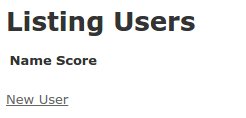
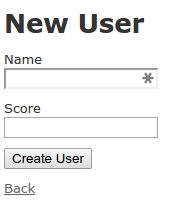
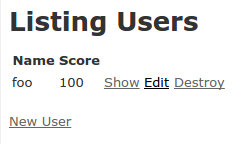
といったアプリができあがります
デバッグ用のGemとかいれず、Railsだけをいれているときコントローラーのデバッグをするなら
logger.debug (ログに出したいもの)
とすれば、logsディレクトリにログがでます
logger.debug params
とかです
development環境なら
logs/development.log
へログが出力されます
sudo apt-get install -y nodejs
を見ながら
$ curl -sL https://deb.nodesource.com/setup | sudo bash –
$ sudo apt-get install -y nodejs
確認
$ node -v
v0.11.13
$ npm -v
1.4.9
なんか古いですね..
とりあえず急場はこれでしのぎました