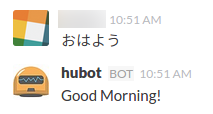
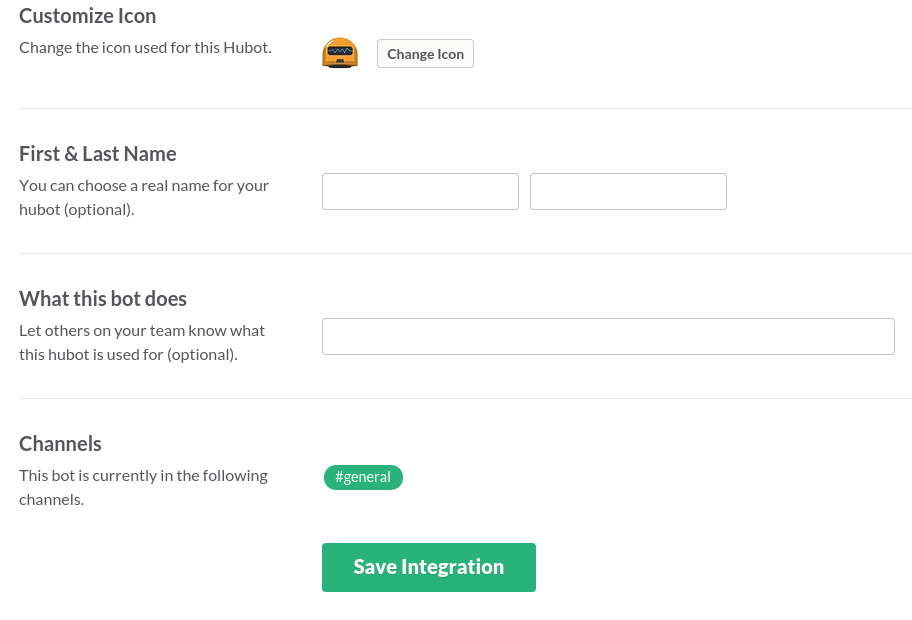
hubotを入れてみた

hubotを入れてみました

https://hubot.github.com/docs/
を見ながら

$ sudo npm install -g yo generator-hubot


$ yo hubot Make sure you are in the directory you want to scaffold into. This generator can also be run with: yo hubot _____________________________ / // | Extracting input for | //// _____ | self-replication process | ////// /_____ / ======= |[^_/_]| /---------------------------- | | _|___@@__|__ +===+/ /// _ | |_ /// HUBOT/ |___/// / / +---+ ____/ | | | //| +===+ // |xx| ? Owner: sample@sample.co.jp ? Bot name: hubot ? Description: A simple helpful robot for your Company ? Bot adapter: (campfire) slack ? Bot adapter: slack create bin/hubot create bin/hubot.cmd create Procfile create README.md create external-scripts.json create hubot-scripts.json create .gitignore create package.json create scripts/example.coffee create .editorconfig _____________________________ _____ / | Self-replication process | | | _____ | complete... | |__| /_____ Good luck with that. / |//+ |[^_/_]| /---------------------------- | | _|___@@__|__ +===+/ /// _ | |_ /// HUBOT/ |___/// / / +---+ ____/ | | | //| +===+ // |xx|

adapterはslackを選びました

いちおうgitで管理しておきます
.gitignoreは用意してくれているので

$ git init
$ git add .
$ git commit -m ‘initial commit’

hubotを起こします

$ bin/hubot
hubot> [Wed Apr 29 2015 23:57:48 GMT+0900 (JST)] ERROR hubot-heroku-alive included, but missing HUBOT_HEROKU_KEEPALIVE_URL. heroku config:set HUBOT_HEROKU_KEEPALIVE_URL=$(heroku apps:info -s | grep web_url | cut -d= -f2)
[Wed Apr 29 2015 23:57:49 GMT+0900 (JST)] INFO Using default redis on localhost:6379

hubot>

で立ち上がりました
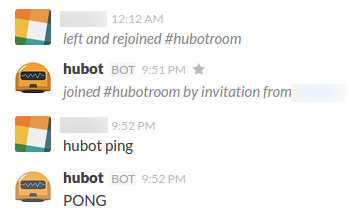
話しかけます

hubot> hubot ping
PONG

PONGと返事がきました

ひとまずここまで

npmのコマンドをおさらい

npmでパッケージ一覧を見る

$ npm list -g

インストールする

$ npm install -g (パッケージ名)
$ npm i -g (パッケージ名)

アンインストールする

$ npm uninstall -g (パッケージ名)
$ npm remove -g (パッケージ名)
$ npm r -g (パッケージ名)

とりあえずこれだけでしのげています

Ruby on Railsでscaffoldするまでおさらい

Railsはインストール済みの状態からRailsをいちから復習してみました

Railsは
– DRY
– COC
– REST
– MVC
な設計になっています

  • dry

don’t repeat yourself
同じことを繰り返さない

  • coc

convension over configuration 設定より規約
規約をしばって効率化する設計

  • rest

すべてのリソースに一意となる識別子がある、とかいう考えかたです
URIに対してHTTPメソッドでアクセスし処理をします

  • mvcアーキテクチャー

Model View Controller
で処理を分ける

$ rails new app

appディレクトリにrailsが入ります

javascript runtimeがないときは
therubyracer gemを入れるといいです

私はnode.jsを入れていました

(参考)
centosにnode.jsとnpmをインストールする | bgbgbg
ubuntuにnode.jsとnpmをインストールする | bgbgbg

$ rails server (省略で rails s )
でサーバーが立ち上がる
rails 4.2では rails s -b 0.0.0.0としないとlocalhost以外からアクセスできません

サーバーを止めるには ctrl + c で止めます

$ rails g scaffold Use name:string score:integer
でUserモデルに string型のnameとinteger型のscoreを持ったアプリができる

$ rake db:migrate
でデータベースへmigrationファイルを適用する(テーブルとか作る)

これで
http://localhost:3000/users/
にアクセスすれば

rails-scaffold
rails-scaffold2
rails-scaffold3

といったアプリができあがります

素のRailsでコントローラーのデバッグをする

デバッグ用のGemとかいれず、Railsだけをいれているときコントローラーのデバッグをするなら

logger.debug (ログに出したいもの)
とすれば、logsディレクトリにログがでます

logger.debug params

とかです

development環境なら

logs/development.log

へログが出力されます